 Skip to content
AI Video · Review
Search for an InstaDoodle review and most of what you’ll find is copied from the sales page. Some pages quote a $37 lifetime deal, others a $47 monthly plan, and almost none explain the upsells or how quickly the AI credits run out.
So here’s the full picture. I went through InstaDoodle’s sales pages, its partner page (which shows the full upsell funnel), its ClickBank stats and its Trustpilot reviews in November 2026.
The short version: InstaDoodle is a legitimate, easy whiteboard-video tool, and the current $27 one-time Black Friday deal is good value if you want doodle-style explainer videos. Just know that the 150 AI credits in the base deal are limited, the most useful AI features are sold as upsells, and you should keep your receipt in case you want to use the 60-day refund.
What’s in this review
InstaDoodle review: what it is
InstaDoodle is a cloud-based app for making whiteboard animation videos: the hand-drawn “doodle” style where a hand sketches each scene while a voiceover explains. You type an idea, its DoodleAI engine generates doodle characters, elements or backgrounds, and you arrange them into slides with voiceover and music. It runs in the browser, so it works on Mac, Windows or any device with a modern browser, with nothing to install.
You can see the current offer and demo videos on the official InstaDoodle website.
It’s aimed at marketers, teachers, course creators, authors and anyone who needs explainer videos without hiring an animator. It’s sold through ClickBank, which handles payments and refunds.
InstaDoodle pricing: lifetime deal vs monthly plans
This is where most reviews get confused. InstaDoodle is sold two different ways, and the price depends on which page you land on.
1. The ClickBank lifetime deal (current offer). When we followed InstaDoodle’s ClickBank link on November 5, 2026, it led to a “Black Friday Special” page with two one-time options:
| Option | Price | What’s different |
|---|---|---|
| InstaDoodle (lifetime) | $27 one time | Black-and-white doodles, 150 AI credits, 1080p export |
| InstaDoodle with Color Support (lifetime) | $37 one time | Same, plus generated color elements |
The page lists a “normal price” of $117 and calls the deal a limited-time offer, so expect the price to change after Black Friday.
2. The monthly plans on the main website. InstaDoodle’s homepage sells subscriptions instead:
| Plan | Price | Highlights |
|---|---|---|
| Standard | $47/month | Unlimited videos, 150 AI credits, 1080p, 1,000+ elements |
| Pro | $67/month | 3,000+ Pro elements, 2K and 4K export, commercial license, VIP support |
| Agency | $127/month | Everything in Pro, plus AI Wizard, InMotion, AI Voices and unlimited AI credits |
Which is better? If you just want the core doodle-video tool, the one-time deal is far cheaper: $27 once versus $47 every month. The monthly Agency plan only makes sense if you need unlimited AI credits and the AI Wizard every month.
Upsells and the real total cost
InstaDoodle’s partner page lists the funnel buyers go through after the front-end purchase:
| Step | Product | Price | What it adds |
|---|---|---|---|
| Front end | InstaDoodle | $27 or $37 | The core app |
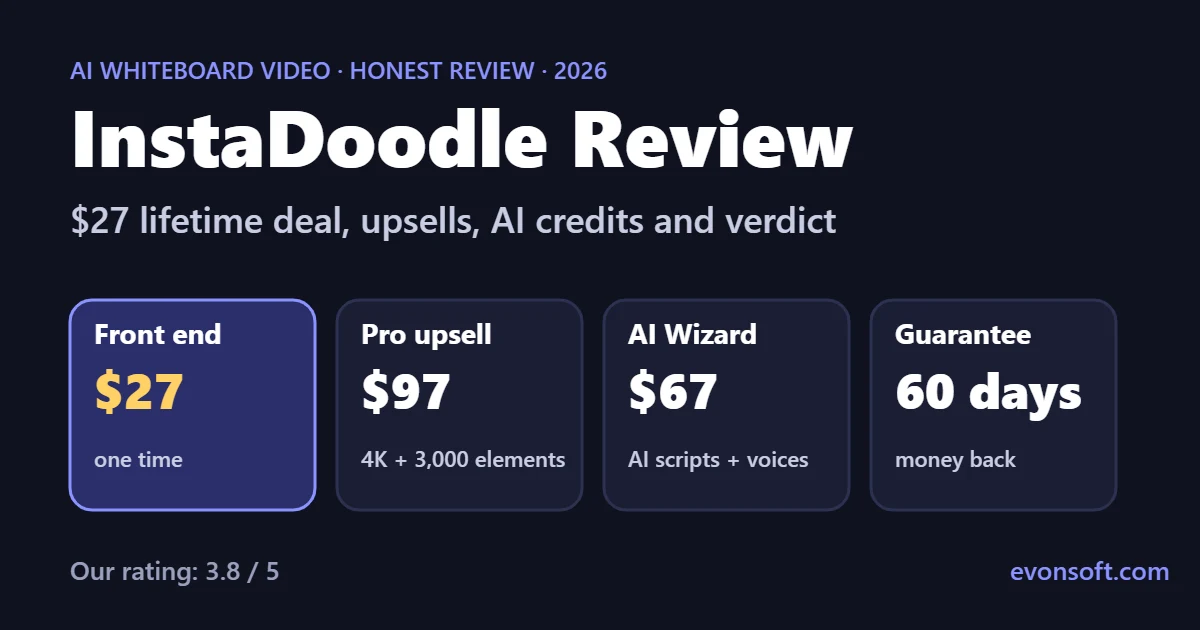
| Upsell 1 | Pro Upgrade | $97 | 3,000+ Pro elements and characters, 8 more drawing hands, faster AI queue, 4 variations per element, 2K and 4K export, unlimited slides, custom fonts, weekly training |
| Upsell 2 | AI Wizard | $67 one time | AI script generator, AI voiceovers, automatic project creation, synced multilingual videos |
So the full funnel costs $191 ($27 + $97 + $67), or $201 with color support. You don’t need the upsells to make videos, but two of the features people expect from an “AI video” tool, AI scripts and AI voiceovers, are in the AI Wizard upsell, not the base product.
Several Trustpilot reviewers also mention add-ons such as InMotion (animated video uploads), AI Voices and extra AI credits that they only saw after buying. Budget for at least the Pro upgrade if you want 4K export or a larger element library.
Main features
According to the sales page, the $27 lifetime deal includes:
- Unlimited videos with a drag-and-drop editor
- Works in any language
- DoodleAI engine with 3 AI styles: caricature, cartoon and realistic
- 1,000+ built-in doodle elements and 14 project templates
- 7 drawing hands and 6 animation types
- Auto audio sync with slides and custom slide transitions
- Built-in image editor with a background remover, and picture-to-doodle conversion
- 150 AI credits
- 1080p HD export
- Free updates and support
InstaDoodle says it has 45,000+ users and 89,000+ videos created. It’s cloud-based, so projects are available on any computer you log in from.
AI credits: the catch
The base deal includes 150 AI credits, and every AI generation (characters, elements, backgrounds) uses them. The sales page doesn’t say the lifetime credits refill each month, and the most common complaint on Trustpilot is that credits run out quickly, including on AI results you don’t end up using.
You can still build videos without credits by using the 1,000+ built-in elements and your own uploaded images. But if you plan to rely on AI generation, expect to buy more credits or move to a plan with unlimited AI credits, such as the $127 monthly Agency plan.
Tip: plan each scene first, then generate only what the built-in library doesn’t have. That makes 150 credits last much longer.
What users say
InstaDoodle has a 3.9 out of 5 TrustScore on Trustpilot from 204 reviews when we checked: 54% five-star and 19% one-star. The company replies to most negative reviews.
What buyers like
- Easy to learn, even with no animation experience
- Helpful tutorials and training webinars
- Fast, friendly support
- Good value on the lifetime deal
Common complaints
- The total cost isn’t clear before buying, because of add-ons and upsells
- AI credits run out fast, and AI images can be inconsistent between scenes
- Some buyers reported slow refunds that needed several follow-ups
- Occasional slow rendering and billing glitches
On ClickBank, InstaDoodle shows a 2.62% conversion rate and an average of $42.56 per sale, which suggests most buyers take the front-end deal and a smaller share take the upsells.
Refunds and the 60-day guarantee
InstaDoodle offers a 60-day money-back guarantee, and its FAQ describes it as no-questions-asked. Because the product is sold through ClickBank, ClickBank processes the payment and you can request a refund through ClickBank’s customer support as well as through InstaDoodle’s help desk at help.instadoodle.com.
Given the refund complaints on Trustpilot, keep your ClickBank order number and, if a refund through the vendor stalls, contact ClickBank directly. There’s no free trial; the guarantee is your risk-free period.
InstaDoodle vs Doodly and VideoScribe
Doodly and VideoScribe are the best-known whiteboard animation tools. “InstaDoodle vs Doodly” is one of the most common comparisons people search for, so here’s how they differ:
- AI generation: InstaDoodle’s main difference is its DoodleAI engine, which creates new doodle characters and scenes from text. Its own comparison table claims Doodly, VideoScribe and Animaker don’t offer text-to-doodle AI.
- Cloud vs desktop: InstaDoodle runs fully in the browser with cloud rendering. Doodly is installed desktop software.
- Pricing model: InstaDoodle’s ClickBank deal is a one-time payment. Doodly and VideoScribe are sold as plans; check their sites for current prices.
- Video format: one independent review reported that InstaDoodle only supports horizontal video, so check this if you need vertical clips for TikTok or Shorts.
If you want realistic AI video rather than whiteboard animation, InstaDoodle isn’t the right tool. Look at models like Kling or Veo instead. Our guide to free image to video AI tools compares the best options.
Pros and cons
✓ Pros
- $27 one-time deal with no monthly fees
- Very easy to learn; templates get you started fast
- AI creates new doodle characters from text
- Cloud-based: works on Mac, Windows and any browser
- Works in any language
- 60-day money-back guarantee through ClickBank
✗ Cons
- Only 150 AI credits in the base deal
- AI scripts and voiceovers are in a $67 upsell
- 4K export and the bigger library need the $97 Pro upgrade
- Upsells and add-ons make the total cost unclear
- Some reports of slow refunds
- AI images can be inconsistent between scenes
Who should buy InstaDoodle?
- Buy it if you need whiteboard explainer videos for courses, lessons, YouTube, sales pages or client work, and you want a one-time price instead of a subscription.
- Add the Pro upgrade if you sell videos or need 4K export and a larger library.
- Add AI Wizard if you want AI to write scripts and generate voiceovers for you.
- Skip it if you want realistic AI video, vertical short-form clips, or unlimited AI generation without extra cost.
InstaDoodle is legit and worth the $27 one-time deal if whiteboard-style videos fit your work. It’s easy to use, runs in the browser and makes clean explainer videos fast.
Go in with clear expectations: 150 AI credits won’t last long if you generate everything with AI, and the best AI features are in the upsells. Buy the front end, use the built-in library, and only add Pro or AI Wizard if you find you need them within the 60-day guarantee.
FAQ
How much does InstaDoodle cost?
Through its ClickBank offer, InstaDoodle currently costs $27 one time, or $37 one time with color support, as a Black Friday special. The main website also sells monthly plans: Standard $47, Pro $67 and Agency $127 a month. Optional upsells are Pro ($97) and AI Wizard ($67).
Is InstaDoodle a one-time payment?
Yes, the ClickBank deal is a one-time lifetime payment of $27 or $37 with no monthly fees. The plans on InstaDoodle’s homepage are monthly subscriptions, so check which page you’re buying from.
Is InstaDoodle legit?
Yes. InstaDoodle is a working, cloud-based whiteboard video app sold through ClickBank with a 60-day money-back guarantee. It has a 3.9 out of 5 rating on Trustpilot from 204 reviews, with most complaints about upsells, AI credits and slow refunds rather than the software itself.
Is there a free trial of InstaDoodle?
No. InstaDoodle doesn’t offer a free version or trial. Instead, it has a 60-day money-back guarantee, so you can request a refund if it isn’t right for you.
Do InstaDoodle AI credits run out?
Yes. The base deal includes 150 AI credits, and each AI generation uses them. You can keep making videos with the built-in elements and your own images, but more AI generation means buying more credits or a plan with unlimited credits.
Is InstaDoodle Pro worth it?
The $97 Pro upgrade is worth it if you need 2K or 4K export, 3,000+ extra elements and characters, more drawing hands or faster AI generation. For simple 1080p explainer videos, the base product is enough.
Is InstaDoodle better than Doodly?
InstaDoodle’s advantages are AI-generated doodles from text prompts, cloud-based editing and a one-time price. Doodly is established desktop software. If you want AI to create new characters for you, InstaDoodle is the better fit.
Can I get a refund from InstaDoodle?
Yes, within 60 days. Contact InstaDoodle’s support desk or ClickBank’s customer support with your order number. Some buyers report slow refunds, so follow up with ClickBank directly if the vendor doesn’t respond.